Coming soon · for Chrome and Edge
RecruitLingo for Chrome
The glossary, the JD decoder and candidate matching, right on the pages you already work in: LinkedIn, Naukri, Gmail, Outlook and your ATS. No copying, no switching tabs.
We're testing it with recruiters now, before it goes on the Chrome Web Store.
What it does
Explain any word
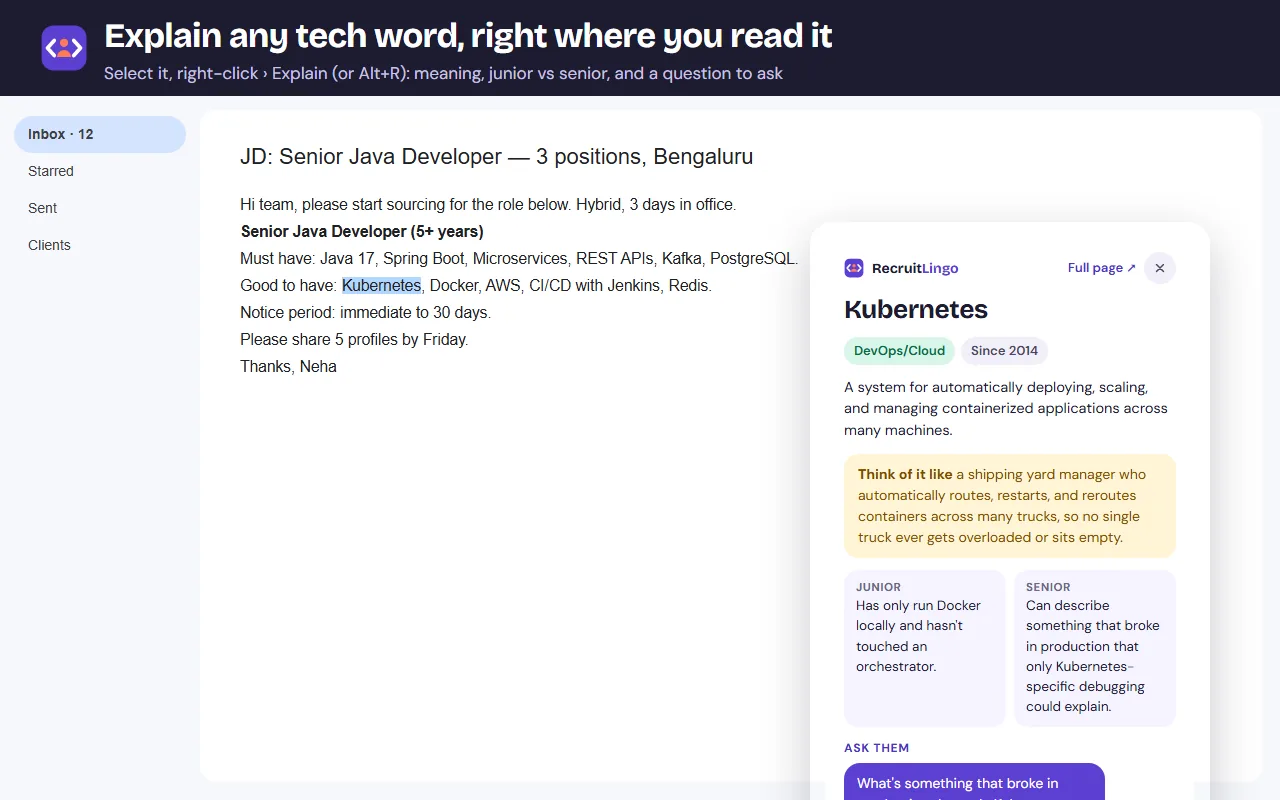
Select a tech term on any page and right-click › Explain, or highlight every term on the page at once. Meaning, what it says about a candidate, and a question to ask.
Decode the JD
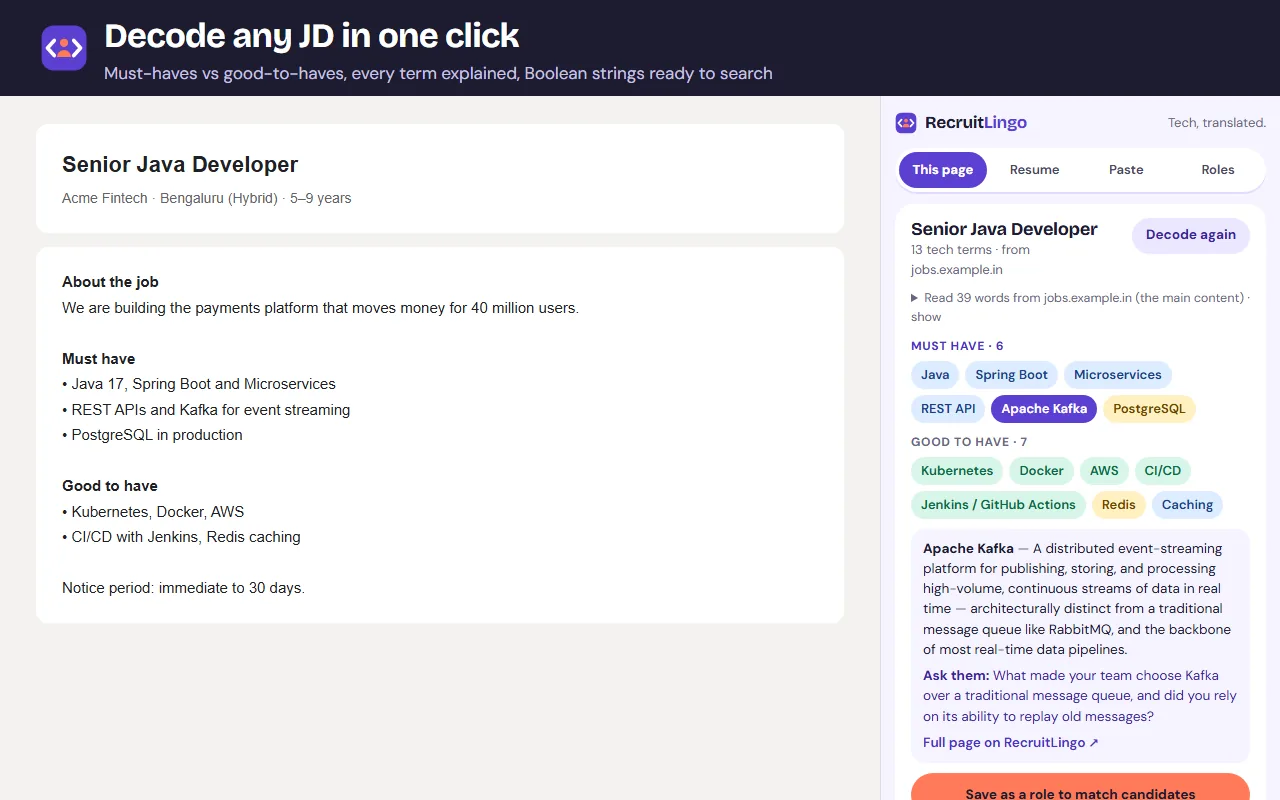
Must-haves vs good-to-haves, every term explained, Boolean strings with one-click LinkedIn and Google X-ray search, and a JD health check to take to the hiring manager.
Match to your roles
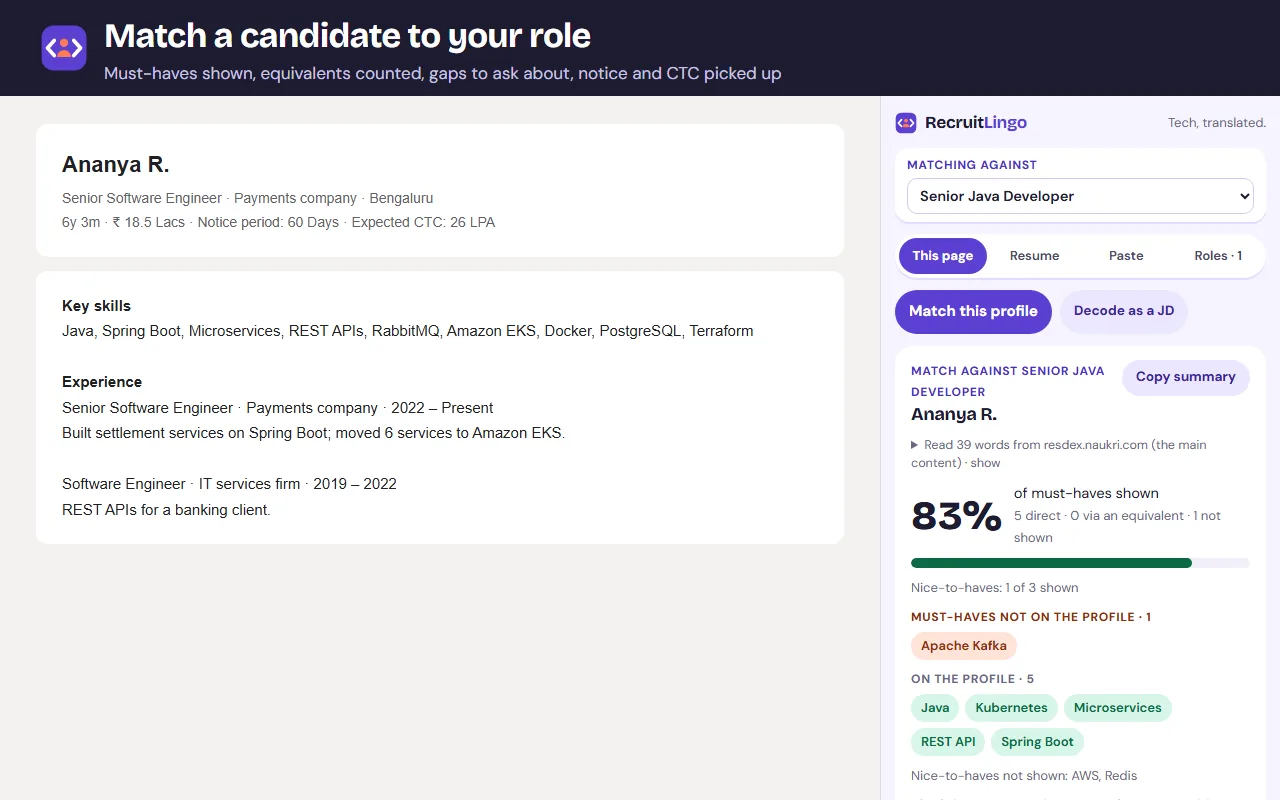
Save roles from their JDs, then match any profile or resume against all of them at once: must-haves shown, equivalents counted, gaps to ask about.
Built for India
Notice period, current and expected CTC and location picked up from the profile, with a flag when the hike or a long notice with offers in hand puts the offer at risk.
Call to submittal
Take notes against each question during the screen, and they flow into a submittal for the hiring manager. Draft the first LinkedIn or WhatsApp message too.
Shortlist for Excel
Compare the candidates you matched today, best first, and download the shortlist for your tracker.
See it
Private by design
It reads a page only when you click, analyses it in your browser, and sends nothing anywhere. Candidate profiles are never stored. The roles you save stay on your device, and your shortlist and call notes clear when Chrome closes.